

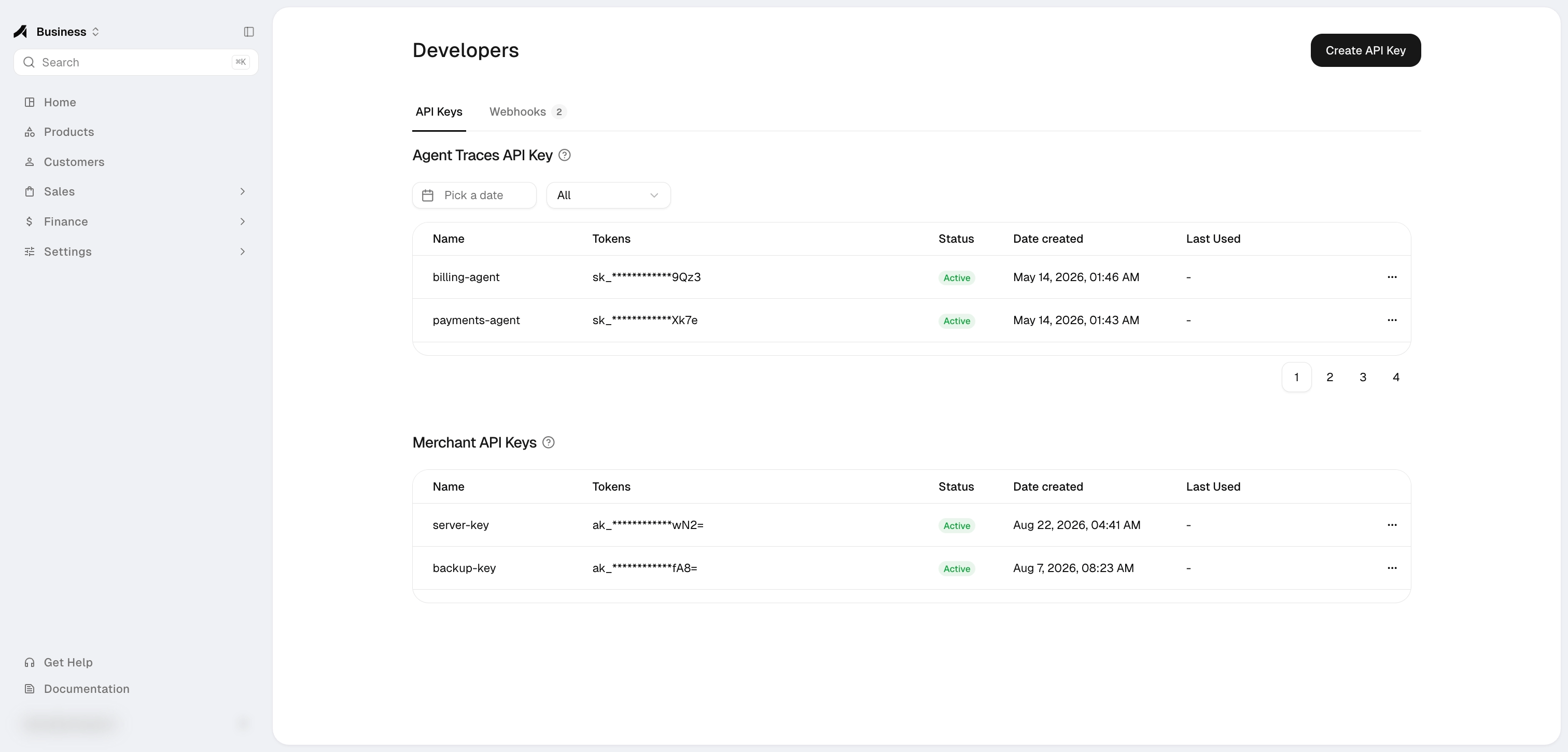
API key types
Create only the key type required by the integration. Copy a new secret immediately and store it in a server-side secrets manager; the complete value may not be shown again.
Set key access
When you create a Merchant API key, choose Limited access (the default) or Full access. To change it later, open the key’s ⋯ menu and select Edit access. The change applies on the key’s next request.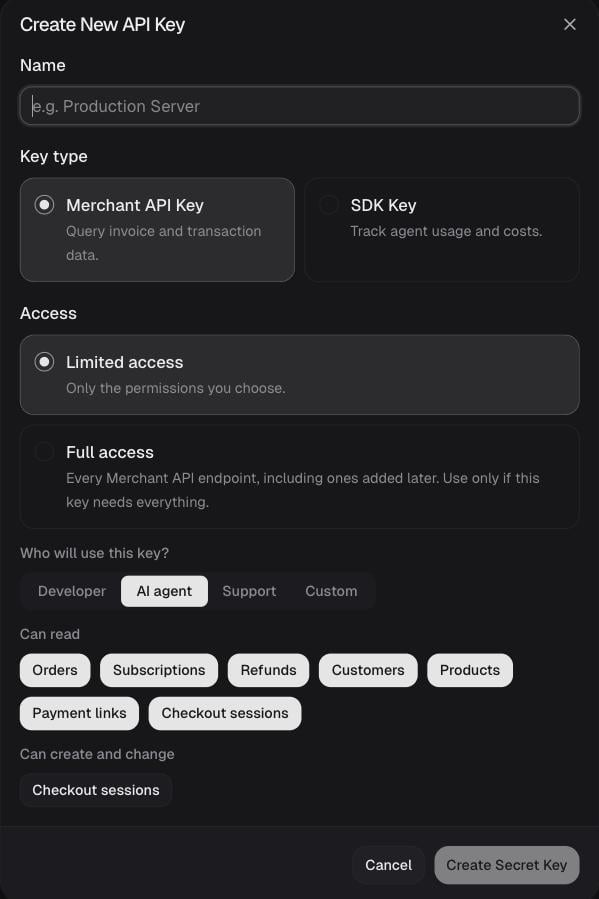
You can’t pick a permission your own role doesn’t have. The Developer role can’t cancel subscriptions, create products or create payment links, so a Developer can’t grant Cancel subscription, the write permission for Products or Payment links, or Full access. For the endpoints each permission covers, see Authentication → Permissions.
Who can manage keys
The Owner, Admins, and Developers can create and edit API keys, webhook endpoints, and trace keys. Members with the Finance role do not see this page. API keys belong to the organization, not to the person who created them. They keep working after that person leaves the organization, so rotate them if needed. New keys record who created them. See Roles & permissions.Webhook endpoints
The Webhooks tab lets you create, update, enable, disable, and remove organization-scoped HTTPS endpoints. Anyway signs deliveries with its platform Ed25519 key; verification uses the published public key rather than a per-endpoint shared secret.Merchant API
Review the stable server API and its generated contract.
Webhook API
Verify signatures and implement idempotent fulfillment.