Anyway lets you create products with payment links and accept payments through two providers: Stripe (fiat/card) and Crypto (USDC on Base). Each product is tied to one provider.
Creating Products & Payment Links
Products are the foundation of payments. Creating a product automatically generates a payment link.
# Crypto product (default provider)
anyway products create --name "My Product" --price 29.99
# Stripe product
anyway products create --name "My Product" --price 29.99 --provider stripe
# Stripe subscription
anyway products create --name "Pro Plan" --price 9.99 --provider stripe --type recurring --interval month
# Crypto with flexible amount (buyer decides)
anyway products create --name "Donation" --provider crypto
The payment link URL is returned in the output. Use --format json to capture it programmatically:result=$(anyway products create --name "API Product" --price 49.99 --format json)
payment_link=$(echo $result | jq -r '.paymentLink.paymentLinkUrl')
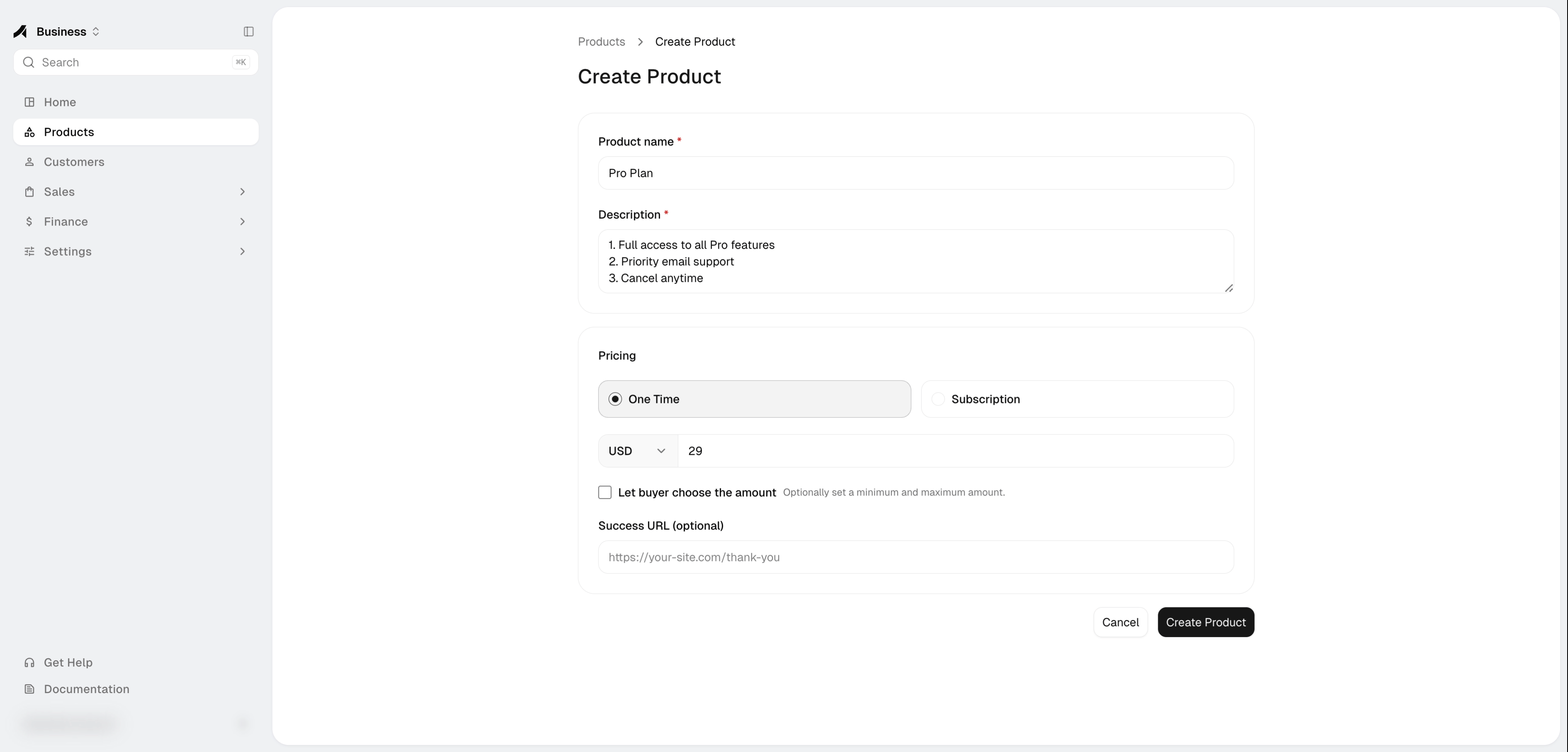
- Go to Products and click Create Product
- Fill in the product name, description, and pricing
- Select the payment provider (Stripe or Crypto)
- For Stripe: choose one-time or recurring, set the price
- For Crypto: optionally set a fixed price, or leave blank for flexible amount
- A payment link is automatically created — copy it from the product detail page
Managing Payment Links
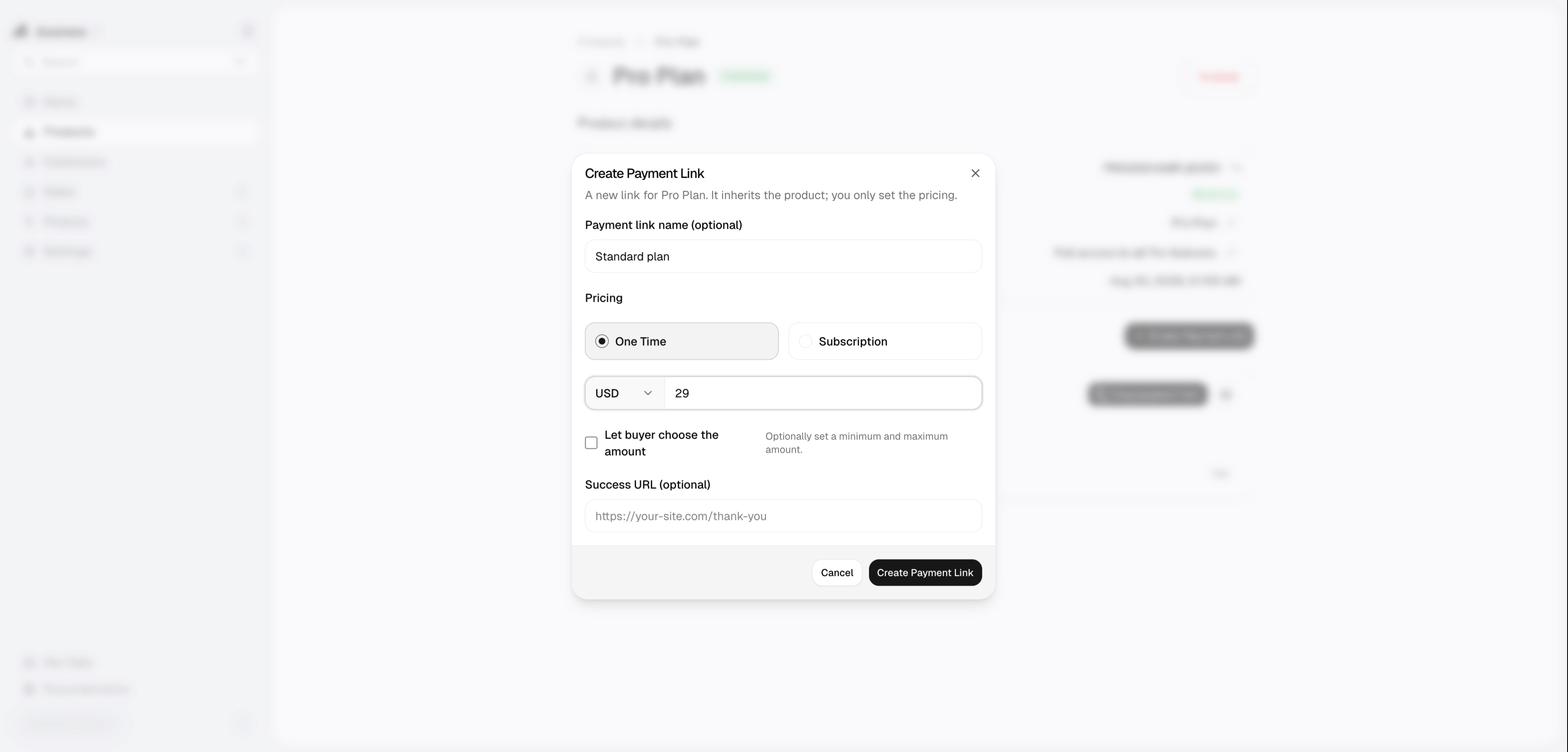
Go to Products, click a product to open its detail page. From there you can:
- View all payment links and their status
- Copy a payment link URL
- Create additional payment links with different pricing or providers
# List payment links for a product
anyway products payment-links <productId>
# Create additional payment link for a product
anyway products payment-links <productId> create --price 19.99 --provider crypto
Stripe Payments
Before creating Stripe products, connect your Stripe account via anyway init wallets --type stripe or the Wallets page.
How it works
- Create a product with
--provider stripe
- Share the payment link URL with your customer
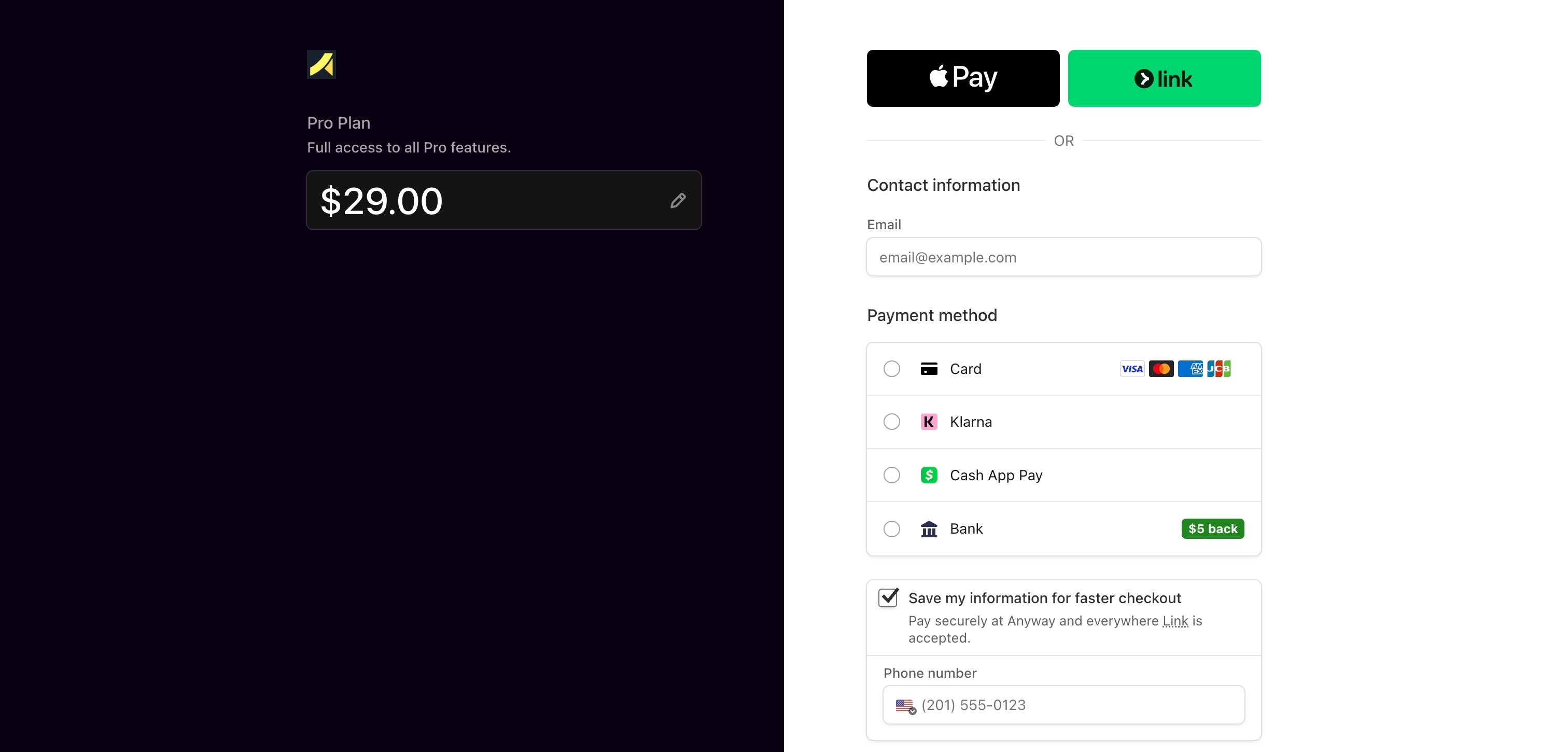
- Customer completes payment via Stripe’s hosted checkout (card, 3D Secure, etc.)
- Order appears in your Orders page and
anyway orders list
Supported pricing models
| Model | CLI flags | Description |
|---|
| One-time | --price 29.99 | Single charge |
| Monthly subscription | --price 9.99 --type recurring --interval month | Recurring monthly |
| Yearly subscription | --price 99 --type recurring --interval year | Recurring yearly |
Payouts
View your Stripe balance and request payouts from the Wallets page or Finance page.
Crypto Payments (USDC on Base)
Crypto payment links accept USDC on the Base network (Ethereum L2).
Before creating crypto products, activate your USDC wallet via anyway init wallets --type crypto or the Wallets page.
Pay by Human (Browser)
Share the payment link URL with your customer. The checkout page at https://app.anyway.sh/pay/<PAYMENT_LINK_ID> handles:
- Wallet connection
- Balance checks
- Transaction submission and confirmation
No code needed — the customer handles everything in the browser.
Pay by Agent/Automation (Programmatic)
For programmatic payments (e.g., agent-to-agent), send USDC directly on-chain using viem.
Prerequisites:
- Node.js with
viem installed: npm install -g viem
- Base wallet private key with USDC balance and small ETH for gas (~0.0001 ETH)
Step 1 — Fetch payment instructions
GET https://app-prod.anyway.sh/v1/pay/agent/<PAYMENT_LINK_ID>
Response (key fields):
{
"success": true,
"data": {
"linkId": "PL...",
"status": "ACTIVE",
"recipient": "0x...",
"amount": null,
"currency": "USDC",
"chain": "base",
"network": "Base (Ethereum L2)",
"usdcContract": "0x833589fCD6eDb6E08f4c7C32D4f71b54bdA02913",
"confirmUrl": "/v1/pay/<LINK_ID>/confirm"
}
}
amount: null means flexible / any amount — the sender decides how much to pay.
- If
amount is set, send exactly that amount.
Step 2 — Check balances
const { createPublicClient, http, formatEther, formatUnits } = require('viem');
const { privateKeyToAccount } = require('viem/accounts');
const { base } = require('viem/chains');
const USDC = '0x833589fCD6eDb6E08f4c7C32D4f71b54bdA02913';
const account = privateKeyToAccount(privateKey);
const client = createPublicClient({ chain: base, transport: http() });
const [ethBalance, usdcBalance] = await Promise.all([
client.getBalance({ address: account.address }),
client.readContract({
address: USDC,
abi: [{ name: 'balanceOf', type: 'function', inputs: [{ name: 'account', type: 'address' }], outputs: [{ type: 'uint256' }], stateMutability: 'view' }],
functionName: 'balanceOf',
args: [account.address]
})
]);
console.log('ETH:', formatEther(ethBalance));
console.log('USDC:', formatUnits(usdcBalance, 6));
If ETH balance is 0, you cannot send transactions. Top up ETH on Base network first.
Step 3 — Human-in-the-loop confirmation (REQUIRED)
Before sending, surface a summary and wait for explicit human approval:
Payment Link ID : <PAYMENT_LINK_ID>
Recipient : <RECIPIENT_ADDRESS>
Amount : <AMOUNT_USDC> USDC
Network : Base (Ethereum L2)
Sender wallet : <SENDER_ADDRESS>
⚠️ This transaction is IRREVERSIBLE. Once sent, USDC cannot be recalled.
If an AI agent determined the payment amount, that same agent must NOT self-approve. Approval must come from an independent human or system. If the calling system does not support human-in-the-loop, programmatic payment must not be used.
Step 4 — Send USDC
Only after explicit human approval:
const { createWalletClient, http, publicActions, parseUnits } = require('viem');
const { privateKeyToAccount } = require('viem/accounts');
const { base } = require('viem/chains');
const USDC = '0x833589fCD6eDb6E08f4c7C32D4f71b54bdA02913';
const account = privateKeyToAccount(privateKey);
const client = createWalletClient({ account, chain: base, transport: http() }).extend(publicActions);
const txHash = await client.writeContract({
address: USDC,
abi: [{ name: 'transfer', type: 'function', inputs: [{ name: 'to', type: 'address' }, { name: 'amount', type: 'uint256' }], outputs: [{ type: 'bool' }], stateMutability: 'nonpayable' }],
functionName: 'transfer',
args: [recipient, parseUnits(amountUsdc, 6)]
});
console.log('TX Hash:', txHash);
console.log('Track:', `https://basescan.org/tx/${txHash}`);
Step 5 — Confirm payment
5a — Immediately after submitting (before on-chain confirmation):
POST https://app-prod.anyway.sh/v1/pay/<LINK_ID>/confirm
Content-Type: application/json
{
"txHash": "0x...",
"email": "sender@example.com",
"note": "Payment for <description>"
}
If response is TX_PENDING, the transaction hasn’t mined yet — wait 5–15 seconds and retry.
5b — After block confirmations:
POST https://app-prod.anyway.sh/v1/pay/<LINK_ID>/confirm
Content-Type: application/json
{ "txHash": "0x..." }
Success response:
{
"success": true,
"message": "Payment confirmed",
"data": { "status": "PAID", "orderId": "ORD..." }
}
Troubleshooting
| Error | Cause | Fix |
|---|
insufficient funds for transfer | ETH balance = 0 | Top up ETH on Base network |
TX_PENDING | Transaction not yet mined | Wait 5–15s, retry confirm |
TX_NOT_FOUND | Wrong txHash or wrong network | Verify on BaseScan |
Reference
- USDC contract on Base:
0x833589fCD6eDb6E08f4c7C32D4f71b54bdA02913
- Gas cost:
0.00000027 ETH per transfer ($0.0007)
- Block explorer:
https://basescan.org/tx/<txHash>
Viewing Orders
All paid orders (Stripe and crypto) are unified in one view:
anyway orders list # All orders
anyway orders list --status paid # Paid only
anyway orders list --product <productId> # By product
anyway orders list --from 2024-01-01 --to 2024-12-31 # By date range
anyway orders list --format csv > orders.csv # Export
Or view at Orders page.