Documentation Index
Fetch the complete documentation index at: https://docs.anyway.sh/llms.txt
Use this file to discover all available pages before exploring further.
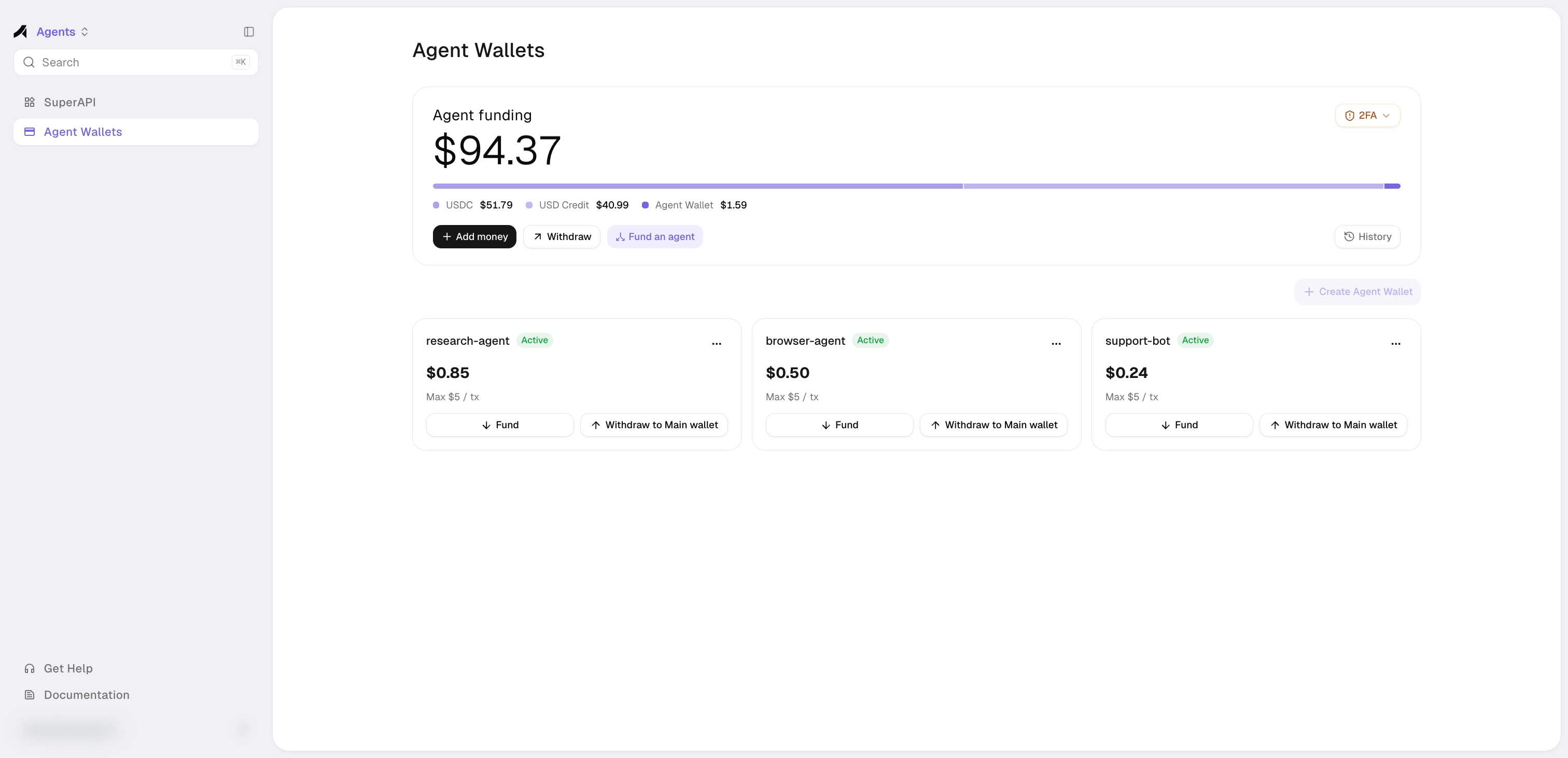
Give your AI agent a dedicated USDC wallet on Base. The agent spends autonomously through the SuperAPI, while you set the limits. Up to 5 per organization.
Getting Started
Step 1: Create Agent Wallet
- Go to Wallets → click + Create Agent Wallet
- Enter a name and spending limit (max per transaction, default $5)

- Click Create — the wizard creates the wallet, generates the signing keypair, delegates access, and sets the spending policy in one step. By default, the agent gets a $5 max per transaction cap and direct sends are blocked (the agent can only pay through x402, not transfer USDC freely)
- Save the Agent Wallet Key — it’s shown once and cannot be retrieved later. The key is a base64-encoded JSON string containing the signing key and wallet ID
You can update the spending limit anytime via the Edit (pencil icon) on the agent wallet card.# Opens browser to complete setup, then stores the key locally
anyway wallets agents create --name "My Agent"
# For CI/headless: print URL and exit, then import bundle manually
anyway wallets agents create --name "My Agent" --non-interactive
Agent Wallet Key
The Agent Wallet Key is a base64-encoded JSON token containing the agent’s signing key and wallet reference:
{
"privateKey": "<base64 PKCS8 P-256>",
"walletId": "WLT..."
}
Set it as an environment variable for your agent runtime:
export ANYWAY_AGENT_WALLET_KEY="eyJwcml2YXRl..."
To extract fields programmatically:
const key = JSON.parse(
Buffer.from(process.env.ANYWAY_AGENT_WALLET_KEY, "base64").toString()
);
// key.privateKey → P-256 PKCS8 signing key (base64)
// key.walletId → wallet identifier
Step 2: Fund the Wallet
Option A: Claim Starter Credit
If you’d rather not move USDC from your main wallet just to try things out, your agent can optionally claim a one-time 0.1 USDC starter credit and start paying for SuperAPI APIs right away. Skip this option if you already plan to fund the agent yourself.
When chosen, the agent runtime calls the endpoint directly:
POST https://app-prod.anyway.sh/v1/agent-wallet/starter-credit
Constraints:
- One claim per merchant organization — multiple agents in the same org share the same allotment.
- Fixed at 0.1 USDC. Funds come from Anyway, not your main wallet.
- The agent must already have a wallet assigned (Step 1) before calling.
// Every /v1/agent-wallet/* call is signed with the agent wallet key — a P-256
// private key. The public key sent on X-Agent-Pubkey is derived at runtime.
const { webcrypto: { subtle } } = require('crypto');
// ── Parse Agent Wallet Key ──────────────────────────────────
const key = JSON.parse(
Buffer.from(process.env.ANYWAY_AGENT_WALLET_KEY, 'base64').toString()
);
function b64ToBytes(b64) { return Buffer.from(b64, 'base64'); }
function bytesToB64(buf) { return Buffer.from(buf).toString('base64'); }
// Derive the SPKI public key from a P-256 PKCS8 private key.
async function derivePubKeyB64(pkcs8Bytes) {
const priv = await subtle.importKey(
'pkcs8', pkcs8Bytes,
{ name: 'ECDSA', namedCurve: 'P-256' }, true, ['sign']
);
const { kty, crv, x, y } = await subtle.exportKey('jwk', priv);
const pub = await subtle.importKey(
'jwk', { kty, crv, x, y },
{ name: 'ECDSA', namedCurve: 'P-256' }, true, []
);
return bytesToB64(await subtle.exportKey('spki', pub));
}
// WebCrypto returns raw IEEE-P1363 ECDSA signatures; the backend expects DER.
function rawEcdsaP256SigToDer(raw) {
const encInt = (b) => {
let i = 0;
while (i < b.length - 1 && b[i] === 0) i++;
let trimmed = b.subarray(i);
if (trimmed[0] & 128) {
const padded = new Uint8Array(trimmed.length + 1);
padded.set(trimmed, 1);
trimmed = padded;
}
const out = new Uint8Array(2 + trimmed.length);
out[0] = 2; out[1] = trimmed.length;
out.set(trimmed, 2);
return out;
};
const rEnc = encInt(raw.subarray(0, 32));
const sEnc = encInt(raw.subarray(32, 64));
const out = new Uint8Array(2 + rEnc.length + sEnc.length);
out[0] = 48; out[1] = rEnc.length + sEnc.length;
out.set(rEnc, 2); out.set(sEnc, 2 + rEnc.length);
return out;
}
async function claimStarterCredit() {
const privBytes = b64ToBytes(key.privateKey);
const privateKey = await subtle.importKey(
'pkcs8', privBytes,
{ name: 'ECDSA', namedCurve: 'P-256' }, false, ['sign']
);
const publicKeyB64 = await derivePubKeyB64(privBytes);
const method = 'POST';
const path = '/v1/agent-wallet/starter-credit';
const timestamp = String(Math.floor(Date.now() / 1000)); // seconds, not ms
const rawSig = new Uint8Array(
await subtle.sign(
{ name: 'ECDSA', hash: 'SHA-256' },
privateKey,
new TextEncoder().encode(`${method}\n${path}\n${timestamp}`)
)
);
const res = await fetch(`https://app-prod.anyway.sh${path}`, {
method,
headers: {
'X-Agent-Pubkey': publicKeyB64,
'X-Agent-Timestamp': timestamp,
'X-Agent-Signature': bytesToB64(rawEcdsaP256SigToDer(rawSig)),
'Content-Type': 'application/json',
},
});
return res.json();
}
Response codes:
| Status | Meaning |
|---|
200 | Credit claimed — data.txHash and data.explorerUrl are returned |
409 | Already claimed by this org — skip and proceed |
Option B: Fund from Your Main Wallet
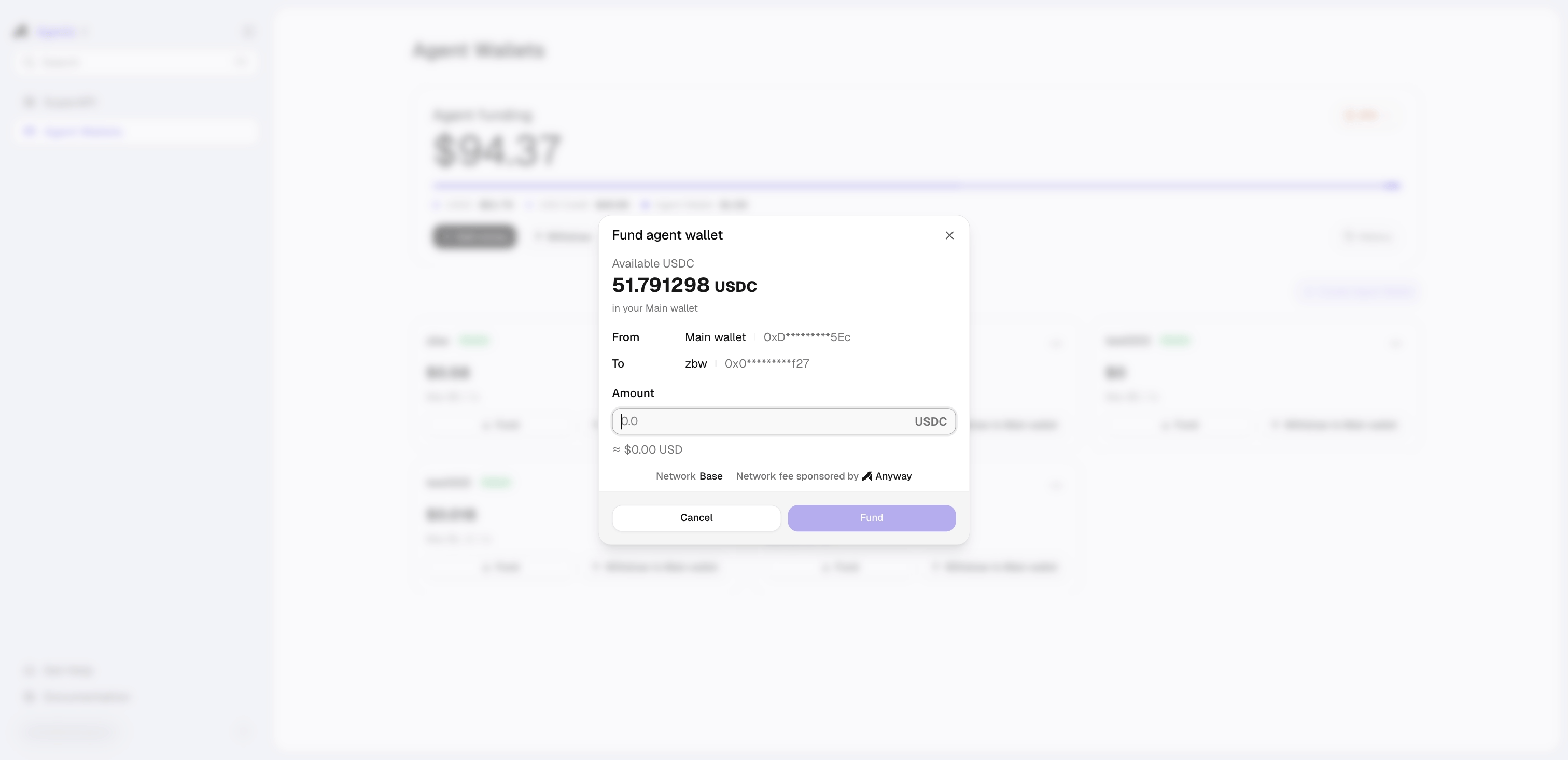
On the agent wallet card, click ↓ Fund to transfer USDC from your main wallet to the agent wallet.
View the agent’s wallet address with anyway wallets agents list, then send USDC to it from your main wallet in the webapp or from any external wallet.Starter credit is claimed by the agent runtime, not the CLI — see Option A above for a code example showing how the agent signs the request.
Step 3: Buy Something
Your agent can now buy APIs on the SuperAPI. The spending limit you set is enforced automatically — if the agent tries to exceed it, the payment is rejected.
See the SuperAPI Quick Start for a complete code example. The signing pattern is the same one used in Step 2 Option A — sign METHOD\nPATH\nTIMESTAMP with the agent wallet key and send the three X-Agent-* headers.
Step 4: Monitor & Manage
From the Agent Wallets page:
- ↓ Fund / ↑ Withdraw — transfer USDC between main wallet and agent wallet
- Edit (pencil icon) — update the spending limit
- Reset Agent Access — rotate the signing key (wallet address + balance preserved)
# List all agent wallets
anyway wallets agents list
# View activity log
anyway wallets agents history [--limit 50]
# View spending policies
anyway wallets agents policies
# Check agent identity
anyway wallets agents whoami
# Switch default agent
anyway wallets agents use <agentId>
# Rotate signing key
anyway wallets agents reset <agentId>
How It Works
Agent → sign with P-256 key → Privy MPC signs USDC transfer → x402 payment settles on Base
When the agent makes a payment:
- The agent builds an EIP-712 typed data payload (USDC
TransferWithAuthorization)
- It signs a request to Anyway’s backend using its P-256 key — this proves identity
- Anyway forwards the request to Privy, which checks the spending policy
- If the policy allows it, Privy’s MPC wallet produces a secp256k1 signature — this authorizes the USDC transfer
- The agent sends this signature to the SuperAPI via the x402 protocol, and the payment settles on Base
The agent never holds the wallet’s private key. It only holds a P-256 signing key that authorizes Privy to sign on its behalf, within the limits you set.
Zero Custody
| Key | Where it lives | Who can access it |
|---|
| Wallet key (secp256k1) | Privy embedded wallet — created client-side in your browser | Privy MPC (no single party holds the full key) |
| Agent signing key (P-256) | Agent’s local machine or runtime | Only the agent |
Anyway never sees or stores either key.
Spending Policies
Policies are enforced by Privy at the MPC signing layer — not by Anyway’s backend. This means even if the backend is compromised, the agent cannot spend beyond its limits.
Default rules on every new agent wallet:
- Max per transaction ($5 by default) — caps each x402 payment
- Block direct sends — the agent can only pay through x402, not transfer USDC freely on-chain