

Changelog
New features, improvements, and fixes in Anyway.
Team & Members
Your organization no longer runs on one shared login. The Owner and Admins add teammates by email and give each person a role. Everyone signs in with their own email, so every change traces back to a person.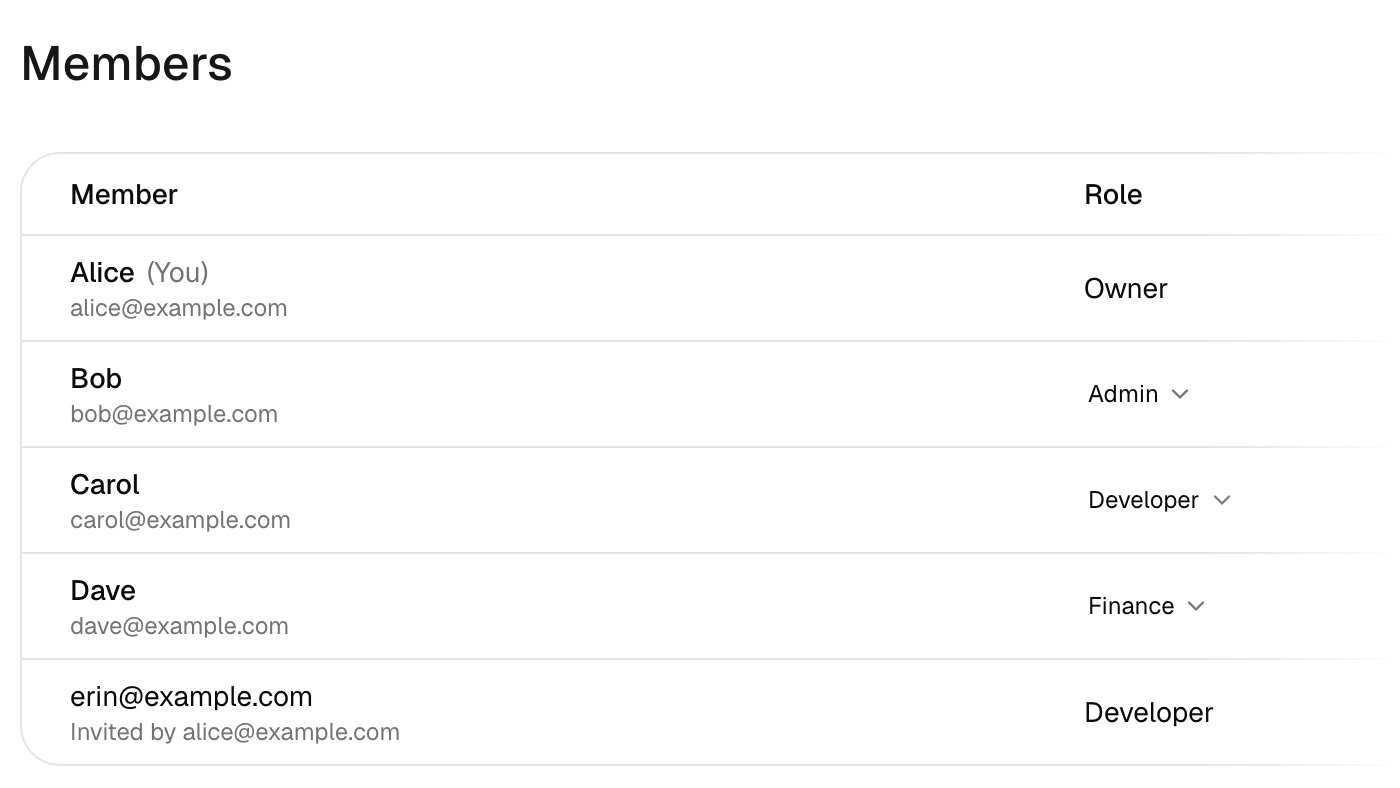
One role per person
- Owner: everything, including wallet transfers and the Agents view. One per organization: the person who created it.
- Admin: everything except changing the Owner. Wallets and Agents are view-only.
- Developer: API keys, webhooks, and agent traces. Products, orders, and wallets are view-only; no refunds or payouts.
- Finance: income, refunds, order exports, and payout requests. No API keys or webhooks.
Add a teammate
Open Settings → Organization → Members and select Invite member. Someone who already has an Anyway account joins right away; a new email joins the first time it signs in. Anyway does not send invitation emails yet, so let them know.Details: Invite & manage members and Roles & permissions.Open in Anyway
Improvements and fixes
Improvements
- Income · A new Sales tax (collected) column shows the tax on each order, or — when there is none.
- Income · Hover ⓘ next to Total transaction volume or Total settled income to see what each total includes.
Fixes
- Orders · The Customer paid column shows what the buyer paid, tax included. No action needed.
- Customers · Orders listed under a customer show what the buyer paid, tax included. No action needed.
Automatic VAT collection
VAT in the EU and the UK has no minimum threshold for digital goods and services sold to consumers. For those sales, Anyway now calculates VAT at checkout from the buyer’s country or region, charges it on top of your price, and files and pays it on your behalf.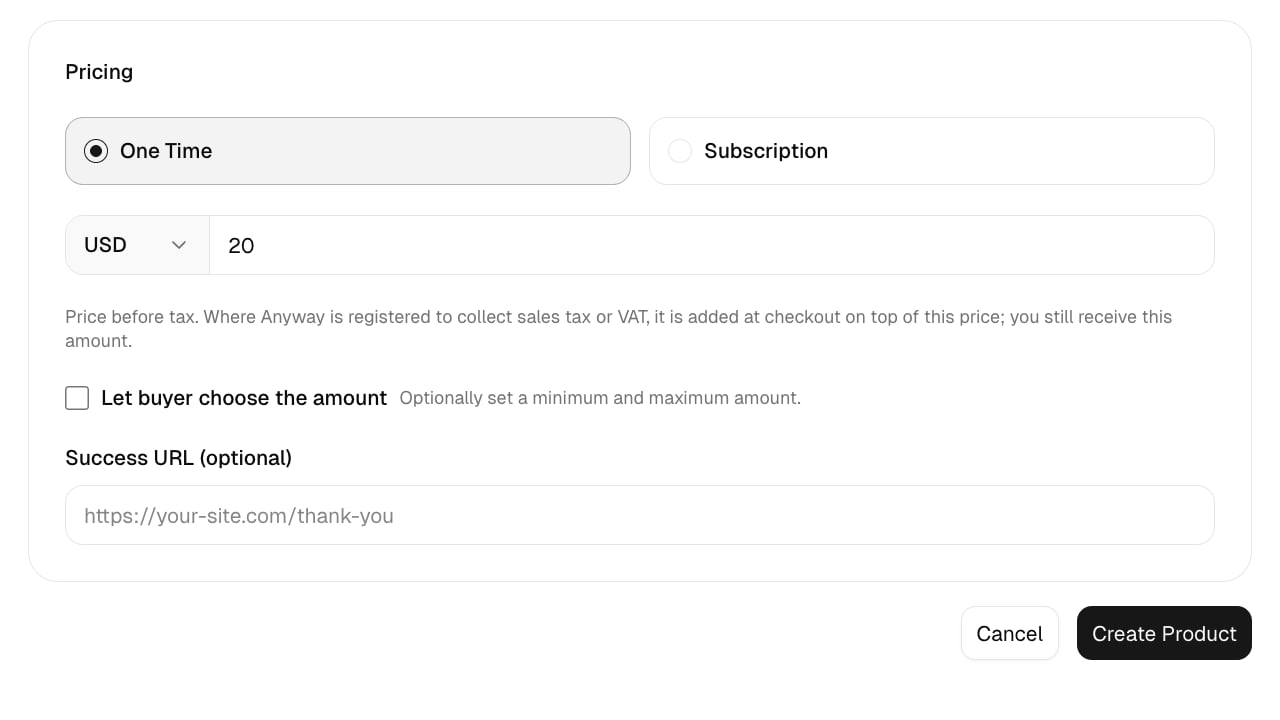
What you will notice
- Your price is before tax. Where Anyway is registered to collect sales tax or VAT, the tax is added at checkout on top of it, and you still receive the price you set.
- Each order shows the tax. Open an order in Orders: its details list Customer paid and Sales tax (collected) separately.
- Your income leaves it out. Tax collected on your behalf is never part of your settled income or your payouts.
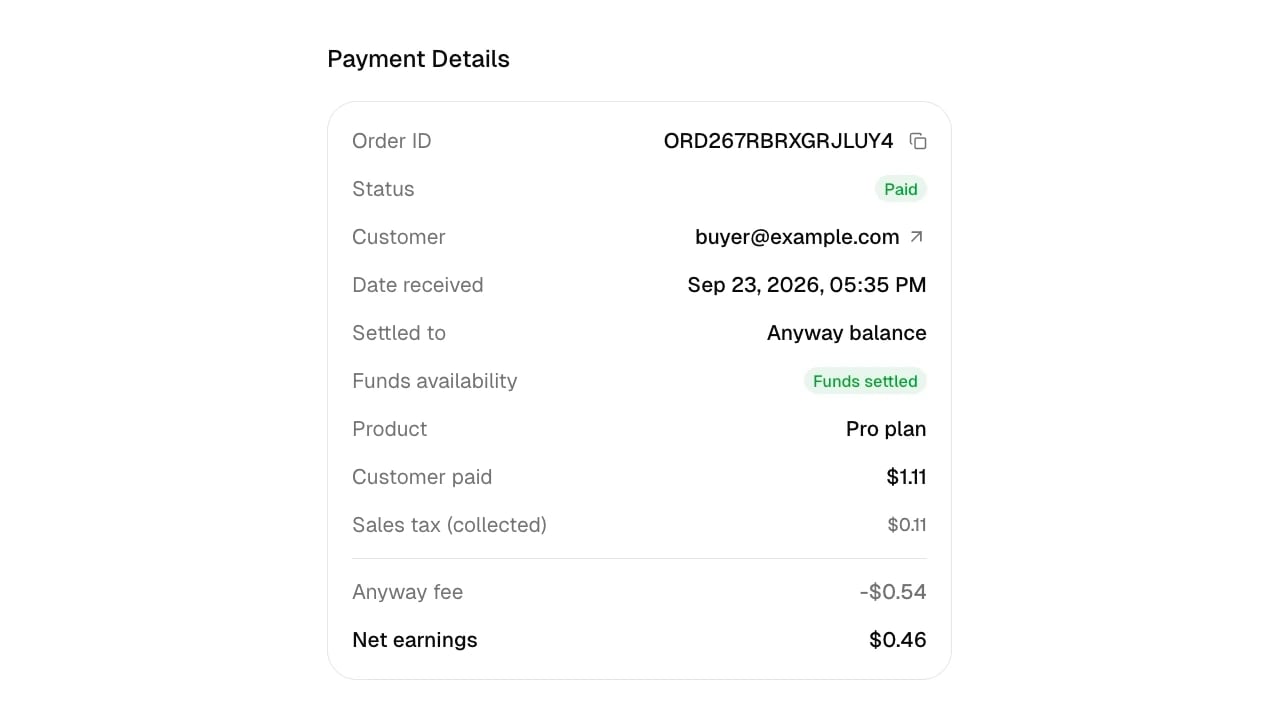
Sales tax (collected) sits between Customer paid and the Anyway fee.
taxAmountCents and totalAmountCents; see the Orders API guide. Questions about tax on your sales: support@anyway.sh.Search and filter orders
The search box on Orders now finds orders as you type. Paste an order ID, a customer’s email, a product name, or the merchant reference you sent with the order.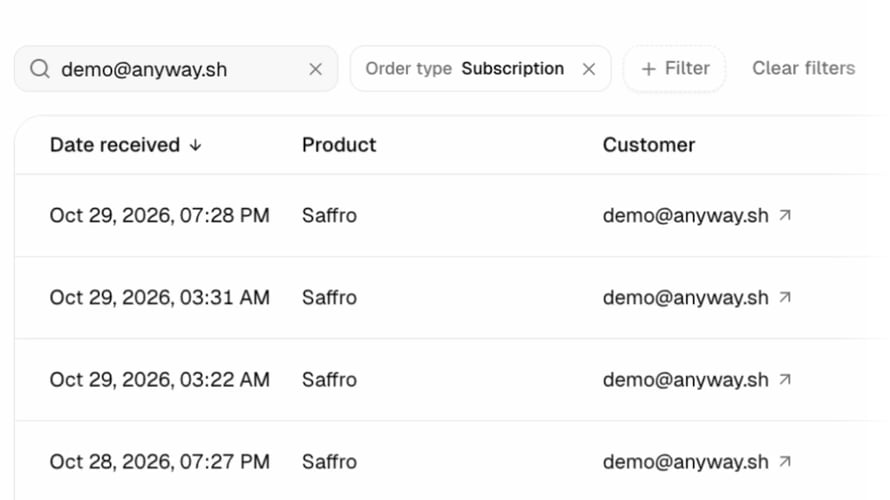
Narrow the list
Select + Filter and pick a field. Each filter becomes a chip above the table: select the chip to change it, or × to remove it.- Product and Customer: one product, or one customer, from your own lists.
- Order type: one-time orders or subscription payments.
- Customer paid: an amount that is equal to, more than, less than, or between two values.