> ## Documentation Index
> Fetch the complete documentation index at: https://docs.anyway.sh/llms.txt
> Use this file to discover all available pages before exploring further.
# Roles & Permissions
> See what each organization role can manage, view, or not see in the Anyway app.
Every member has exactly one role in each organization. The role decides which parts of the Anyway app they can use and change, which they can only view, and which are not shown at all.
## The four roles
| Role | What it is for |
| - | - |
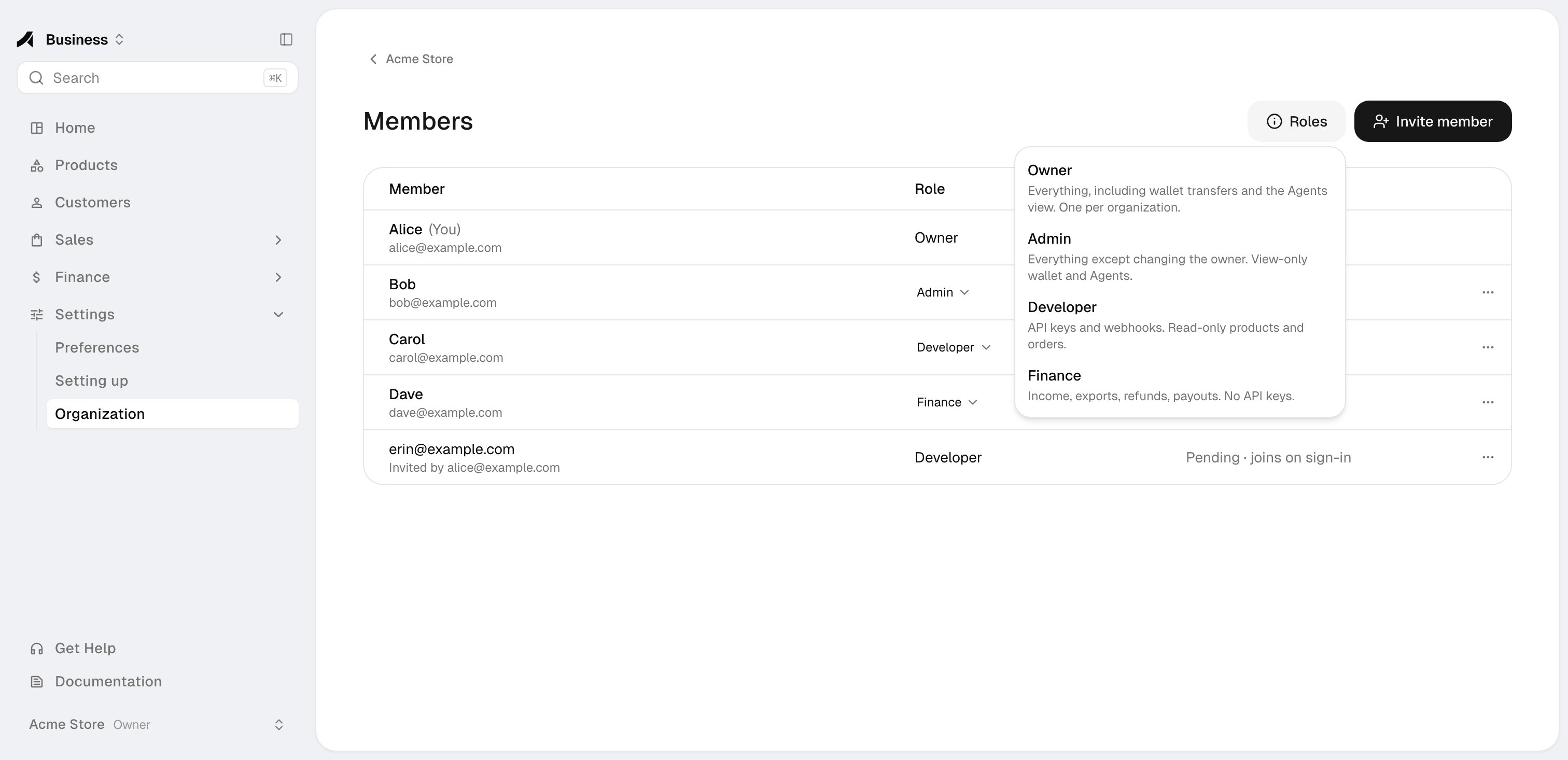
| **Owner** | Everything, including wallet transfers, the Agents view, and spending policies. There is exactly one Owner per organization: the person who created it |
| **Admin** | Everything except changing the Owner. Admins invite and manage members and handle products, payment links, refunds, exports, income, payouts, payout accounts, verification, API keys, and webhooks. Wallets and Agents are view-only |
| **Developer** | API keys, webhooks, and trace keys, plus agent traces and analytics. View-only access to products, payment links, customers, orders, subscriptions, checkout sessions, disputes, wallets, verification status, and the member list. No refunds, exports, income, payouts, or payout accounts |
| **Finance** | Income, order exports, refunds, subscription changes such as cancellation, and payout requests. View-only access to products, payment links, customers, orders, checkout sessions, disputes, wallets, payout accounts, verification status, and the member list. No API keys, webhooks, trace keys, agent traces, or analytics |
The role guide on the Members page explains each role while you invite someone.
 ## Access by area
**Manage** means the member can use and change the area. **View** means read-only. **Yes** means the area is available. **—** means the area is not shown.
| Area | Owner | Admin | Developer | Finance |
| - | - | - | - | - |
| Products | Manage | Manage | View | View |
| Payment links | Manage | Manage | View | View |
| Refunds | Manage | Manage | — | Manage |
| Cancel subscriptions | Manage | Manage | — | Manage |
| Order exports | Manage | Manage | — | Manage |
| Income | View | View | — | View |
| Payout requests | Manage | Manage | — | Manage |
| Payout accounts | Manage | Manage | — | View |
| Wallet | Manage | View | View | View |
| Agents | Manage | View | — | — |
| API keys | Manage | Manage | Manage | — |
| Webhooks | Manage | Manage | Manage | — |
| Agent traces & analytics | Yes | Yes | Yes | — |
| Verification status | Manage | Manage | View | View |
| Verification application & documents | Manage | Manage | — | — |
| Organization name & description | Manage | Manage | View | View |
| Members | Manage | Manage | View | View |
Finance members can view payout accounts but cannot add them or change where payouts go. Developers and Finance members see the verification status, but not the application answers or documents.
## Owner rules
* Each organization has exactly one Owner: the person who created it.
* Only the Owner can make wallet transfers and change agents and spending policies. Admins see the wallet and the Agents view read-only.
* The Owner cannot leave the organization or be removed, and the Owner's role cannot be changed.
* Transferring the Owner role is not self-serve yet. [Contact Anyway support](mailto:support@anyway.sh) if you need to change the Owner.
## Viewer role
The invite dialog lists a **Viewer** role as coming soon. It cannot be assigned yet.
Invite colleagues and change their roles.
Understand accounts and organizations, and switch between them.
This documentation is built and hosted on [Mintlify](https://mintlify.com), a developer documentation platform.
## Access by area
**Manage** means the member can use and change the area. **View** means read-only. **Yes** means the area is available. **—** means the area is not shown.
| Area | Owner | Admin | Developer | Finance |
| - | - | - | - | - |
| Products | Manage | Manage | View | View |
| Payment links | Manage | Manage | View | View |
| Refunds | Manage | Manage | — | Manage |
| Cancel subscriptions | Manage | Manage | — | Manage |
| Order exports | Manage | Manage | — | Manage |
| Income | View | View | — | View |
| Payout requests | Manage | Manage | — | Manage |
| Payout accounts | Manage | Manage | — | View |
| Wallet | Manage | View | View | View |
| Agents | Manage | View | — | — |
| API keys | Manage | Manage | Manage | — |
| Webhooks | Manage | Manage | Manage | — |
| Agent traces & analytics | Yes | Yes | Yes | — |
| Verification status | Manage | Manage | View | View |
| Verification application & documents | Manage | Manage | — | — |
| Organization name & description | Manage | Manage | View | View |
| Members | Manage | Manage | View | View |
Finance members can view payout accounts but cannot add them or change where payouts go. Developers and Finance members see the verification status, but not the application answers or documents.
## Owner rules
* Each organization has exactly one Owner: the person who created it.
* Only the Owner can make wallet transfers and change agents and spending policies. Admins see the wallet and the Agents view read-only.
* The Owner cannot leave the organization or be removed, and the Owner's role cannot be changed.
* Transferring the Owner role is not self-serve yet. [Contact Anyway support](mailto:support@anyway.sh) if you need to change the Owner.
## Viewer role
The invite dialog lists a **Viewer** role as coming soon. It cannot be assigned yet.
Invite colleagues and change their roles.
Understand accounts and organizations, and switch between them.
This documentation is built and hosted on [Mintlify](https://mintlify.com), a developer documentation platform.