> ## Documentation Index
> Fetch the complete documentation index at: https://docs.anyway.sh/llms.txt
> Use this file to discover all available pages before exploring further.
# Developer Setup
> Get up and running with Anyway
## Set Up the SDK
```bash theme={null}
npm install -g @anyway-sh/cli
anyway login
anyway developer keys create --name "my-app"
```
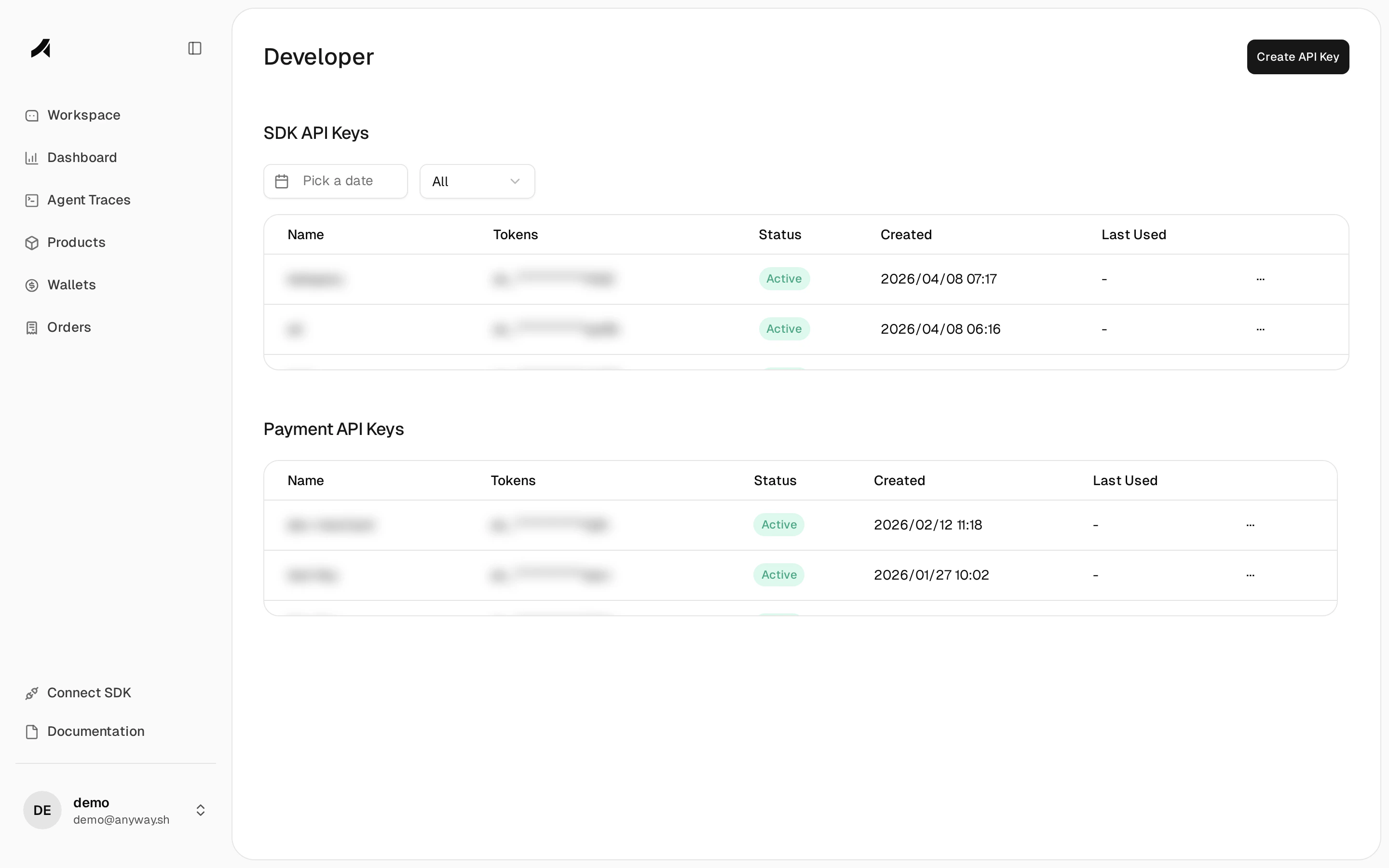
Sign up at [app.anyway.sh](https://app.anyway.sh), then go to **Developer** > **API Keys** and create a new SDK API key.
 Keep your API key secure. Never commit it to version control.
```bash theme={null}
pip install anyway-sdk
```
Requires Python 3.10+.
```bash theme={null}
npm install @anyway-sh/node-server-sdk
```
Requires Node.js 18+.
```python theme={null}
from anyway.sdk import Traceloop
Traceloop.init(
app_name="my-app",
api_endpoint="https://collector.anyway.sh/",
headers={"Authorization": "your-api-key"}
)
```
```typescript theme={null}
import { initialize } from "@anyway-sh/node-server-sdk";
initialize({
appName: "my-app",
baseUrl: "https://collector.anyway.sh/",
headers: { Authorization: "your-api-key" },
disableBatch: true,
});
```
For ESM or Next.js projects, pass provider modules explicitly via `instrumentModules`. See [JS Configuration](/sdk/js/configuration).
The SDK automatically instruments LLM calls from OpenAI, Anthropic, and other providers. Add workflow and task structure to your traces:
```python theme={null}
from anyway.sdk.decorators import workflow, task
from openai import OpenAI
client = OpenAI()
@task(name="chat")
def chat(prompt: str) -> str:
response = client.chat.completions.create(
model="gpt-4o-mini",
messages=[{"role": "user", "content": prompt}]
)
return response.choices[0].message.content
@workflow(name="answer_question")
def answer_question(question: str) -> str:
return chat(question)
result = answer_question("Hello!")
```
```typescript theme={null}
import { withWorkflow, withTask } from "@anyway-sh/node-server-sdk";
import OpenAI from "openai";
const client = new OpenAI();
async function chat(prompt: string) {
return withTask({ name: "chat" }, async () => {
const response = await client.chat.completions.create({
model: "gpt-4o-mini",
messages: [{ role: "user", content: prompt }],
});
return response.choices[0].message.content;
});
}
async function answerQuestion(question: string) {
return withWorkflow({ name: "answer_question" }, async () => {
return chat(question);
});
}
const result = await answerQuestion("Hello!");
```
```bash theme={null}
anyway traces status # check ingestion status
anyway traces list --limit 5 # view recent traces
```
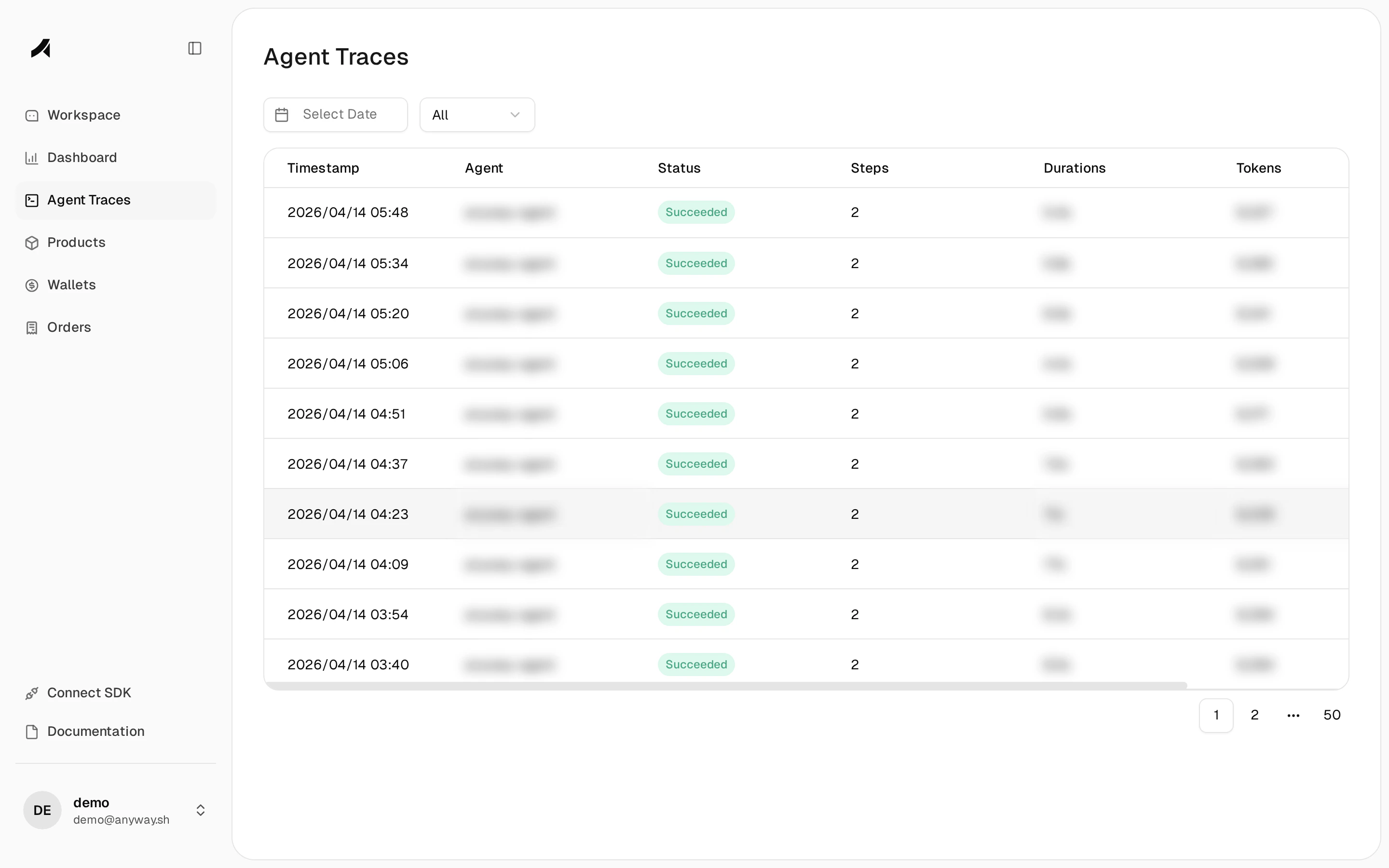
Open [Agent Traces](https://app.anyway.sh/agent-traces) to see your workflow and task spans with execution hierarchy, duration, token usage, and cost estimates.
Keep your API key secure. Never commit it to version control.
```bash theme={null}
pip install anyway-sdk
```
Requires Python 3.10+.
```bash theme={null}
npm install @anyway-sh/node-server-sdk
```
Requires Node.js 18+.
```python theme={null}
from anyway.sdk import Traceloop
Traceloop.init(
app_name="my-app",
api_endpoint="https://collector.anyway.sh/",
headers={"Authorization": "your-api-key"}
)
```
```typescript theme={null}
import { initialize } from "@anyway-sh/node-server-sdk";
initialize({
appName: "my-app",
baseUrl: "https://collector.anyway.sh/",
headers: { Authorization: "your-api-key" },
disableBatch: true,
});
```
For ESM or Next.js projects, pass provider modules explicitly via `instrumentModules`. See [JS Configuration](/sdk/js/configuration).
The SDK automatically instruments LLM calls from OpenAI, Anthropic, and other providers. Add workflow and task structure to your traces:
```python theme={null}
from anyway.sdk.decorators import workflow, task
from openai import OpenAI
client = OpenAI()
@task(name="chat")
def chat(prompt: str) -> str:
response = client.chat.completions.create(
model="gpt-4o-mini",
messages=[{"role": "user", "content": prompt}]
)
return response.choices[0].message.content
@workflow(name="answer_question")
def answer_question(question: str) -> str:
return chat(question)
result = answer_question("Hello!")
```
```typescript theme={null}
import { withWorkflow, withTask } from "@anyway-sh/node-server-sdk";
import OpenAI from "openai";
const client = new OpenAI();
async function chat(prompt: string) {
return withTask({ name: "chat" }, async () => {
const response = await client.chat.completions.create({
model: "gpt-4o-mini",
messages: [{ role: "user", content: prompt }],
});
return response.choices[0].message.content;
});
}
async function answerQuestion(question: string) {
return withWorkflow({ name: "answer_question" }, async () => {
return chat(question);
});
}
const result = await answerQuestion("Hello!");
```
```bash theme={null}
anyway traces status # check ingestion status
anyway traces list --limit 5 # view recent traces
```
Open [Agent Traces](https://app.anyway.sh/agent-traces) to see your workflow and task spans with execution hierarchy, duration, token usage, and cost estimates.
 ## Next Steps
Configure the Python SDK.
Configure the JavaScript SDK.
Learn about tracing and span attributes.
Monitor your AI spend.
## Next Steps
Configure the Python SDK.
Configure the JavaScript SDK.
Learn about tracing and span attributes.
Monitor your AI spend.