> ## Documentation Index
> Fetch the complete documentation index at: https://docs.anyway.sh/llms.txt
> Use this file to discover all available pages before exploring further.
# Webhooks
> Add a webhook in the dashboard, then receive and verify order events in your app
## Overview
Webhooks notify your server in real time when an order changes state, so you can
fulfill automatically instead of polling. Anyway sends three order events:
| Event | Meaning | Act on it |
| --------------- | ------------------------------------------ | ----------------------- |
| `order.pending` | Payment submitted, being verified on-chain | (optional) show pending |
| `order.paid` | Payment settled | **Fulfill the order** |
| `order.failed` | Payment failed | Release / notify |
Every request is signed with Anyway's platform **Ed25519** key — there's no
per-endpoint secret to manage. You verify deliveries with a **public** key you
fetch once (see [Verify the signature](#3-verify-the-signature)).
## 1. Add a webhook in the dashboard
In the Anyway dashboard, go to the **Developer** page and select the
**Webhooks** tab, then click **Add endpoint**.
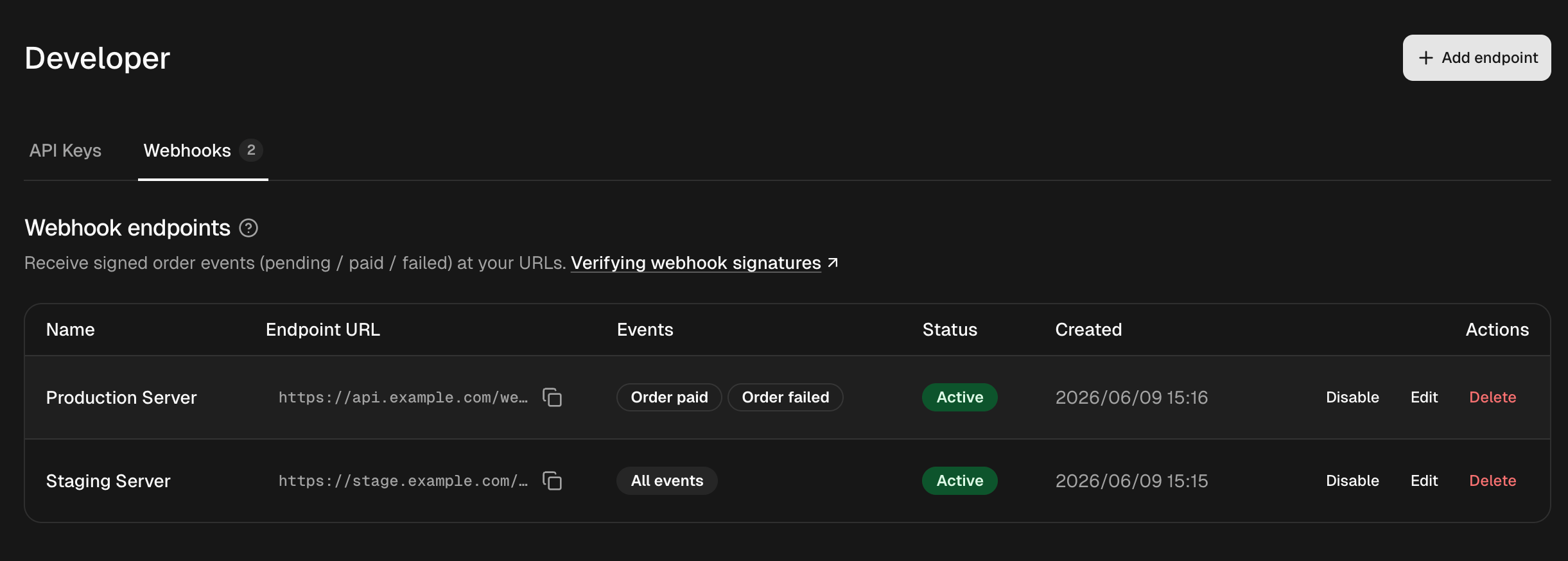 * **Name** — a label for your reference (e.g. `Production server`).
* **Endpoint URL** — the `https://` URL on your server that will receive events.
* **Events** — pick the events you want, or leave them all unselected to
receive **every** event.
* **Name** — a label for your reference (e.g. `Production server`).
* **Endpoint URL** — the `https://` URL on your server that will receive events.
* **Events** — pick the events you want, or leave them all unselected to
receive **every** event.
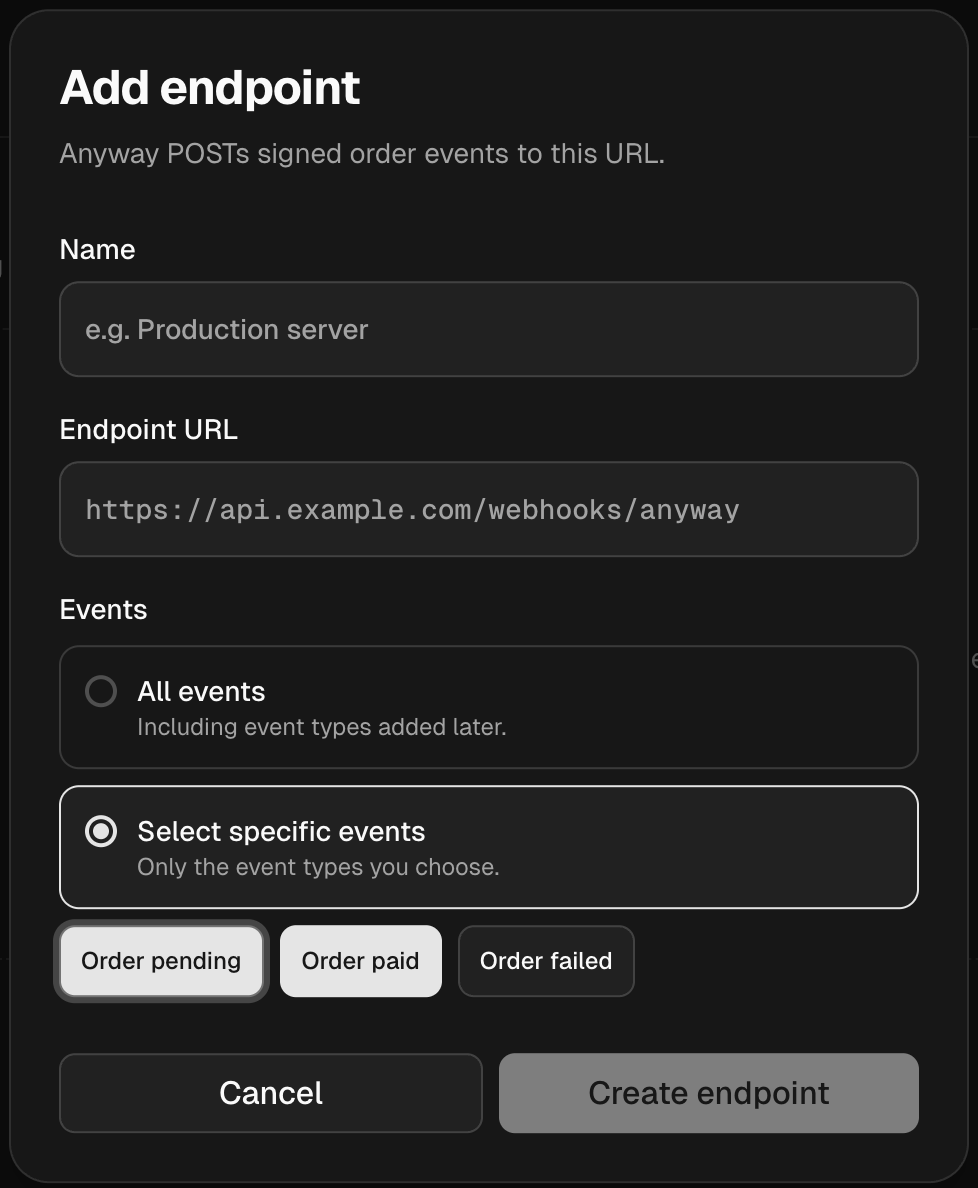 Click **Create endpoint**. The endpoint goes live immediately and starts
receiving events. There is no secret to copy — verification uses the shared
public signing key.
Click **Create endpoint**. The endpoint goes live immediately and starts
receiving events. There is no secret to copy — verification uses the shared
public signing key.
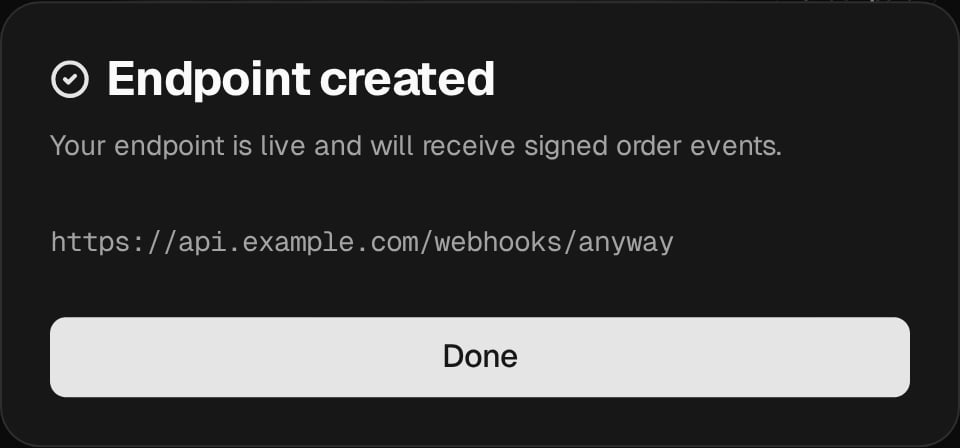 You can disable, edit, or delete an endpoint anytime from the same tab.
## 2. Receive events in your app
Anyway sends an HTTP `POST` with a JSON body to your URL. Acknowledge by
returning any `2xx` status quickly (do heavy work asynchronously).
The body uses the [Standard Webhooks](https://www.standardwebhooks.com) envelope:
```json theme={null}
{
"type": "order.paid",
"timestamp": "2026-06-03T12:03:00Z",
"apiVersion": "2026-06-01",
"data": {
"order": {
"orderId": "ORD_9f8e7d6c",
"orgId": "org_123",
"merchantReference": "a0b1c2d3-e4f5-6789-abcd-ef0123456789",
"status": "PAID",
"provider": "CRYPTO",
"amountCents": 4999,
"currency": "usdc",
"crypto": {
"chainId": "eip155:8453",
"assetSymbol": "USDC",
"txHash": "0x9a3f...c21d",
"payer": "eip155:8453:0xPayer...",
"recipient": "eip155:8453:0xRecipient..."
},
"product": { "id": "prod_42", "name": "Pro Plan" },
"paymentLinkId": "plink_abc",
"createdAt": "2026-06-03T12:00:00Z",
"updatedAt": "2026-06-03T12:03:00Z"
}
}
}
```
Three rules for a robust handler:
Switch on `type` (`order.paid`, …). `data.order.status` mirrors it.
`merchantReference` is the value you set when creating the payment link,
echoed back unchanged. Use it to find the order in your own system.
The same delivery (`webhook-id` header) may arrive more than once, and events
can arrive out of order. De-duplicate and drive state off `status`, not arrival order.
## 3. Verify the signature
Always verify before trusting a payload. Each delivery carries three headers:
| Header | Example | Purpose |
| ------------------- | -------------------------------- | -------------------------------- |
| `webhook-id` | `msg_2abc...` | Unique delivery id (idempotency) |
| `webhook-timestamp` | `1717400180` | Unix seconds (reject if stale) |
| `webhook-signature` | `v1a,` | Signature to check |
The signature covers the exact string `{webhook-id}.{webhook-timestamp}.{raw-body}`.
**Fetch the public key once** (it's the same for all your endpoints — cache it):
```bash theme={null}
curl https://api.anyway.sh/v1/webhooks/signing-key
# → { "keyId": "...", "algorithm": "ed25519", "publicKey": "whpk_MCowBQYDK2Vw..." , "keys": [ ... ] }
```
Then verify with an off-the-shelf Standard Webhooks library — pass the `whpk_`
public key directly:
```python Python theme={null}
# pip install standardwebhooks
from standardwebhooks import Webhook
PUBLIC_KEY = "whpk_MCowBQYDK2Vw..." # from /v1/webhooks/signing-key, cached
wh = Webhook(PUBLIC_KEY)
@app.post("/webhooks/anyway")
def handle(request):
try:
# Verifies signature + timestamp; raises on failure.
event = wh.verify(request.get_data(), dict(request.headers))
except Exception:
return ("", 401)
if event["type"] == "order.paid":
order = event["data"]["order"]
fulfill(order["merchantReference"]) # idempotent
return ("", 200)
```
```javascript Node.js theme={null}
// npm install standardwebhooks
import { Webhook } from "standardwebhooks";
const PUBLIC_KEY = "whpk_MCowBQYDK2Vw..."; // from /v1/webhooks/signing-key, cached
const wh = new Webhook(PUBLIC_KEY);
// IMPORTANT: verify against the RAW request body, not a re-serialized object.
app.post("/webhooks/anyway", express.raw({ type: "application/json" }), (req, res) => {
let event;
try {
event = wh.verify(req.body, {
"webhook-id": req.header("webhook-id"),
"webhook-timestamp": req.header("webhook-timestamp"),
"webhook-signature": req.header("webhook-signature"),
});
} catch {
return res.sendStatus(401);
}
if (event.type === "order.paid") {
fulfill(event.data.order.merchantReference); // idempotent
}
res.sendStatus(200);
});
```
Verify against the **raw request bytes**. Parsing JSON and re-stringifying it
changes the bytes and breaks the signature.
## Delivery & retries
* **Acknowledge** with any `2xx`. Non-`2xx` and timeouts count as failed.
* **Timeout:** 10 seconds per attempt.
* **Retries:** up to 12 attempts with exponential backoff (capped at 1 hour); a
`Retry-After` response header is honored. After the last attempt the event is dropped.
* **At-least-once:** the same `webhook-id` may be delivered more than once — keep your handler idempotent.
## Managing endpoints programmatically
The dashboard is the usual way to manage endpoints, but you can also do it via
the API — see the [Webhooks API reference](/api-reference/endpoint/webhooks)
for `GET/POST/PATCH/DELETE /v1/webhook` and the signing-key endpoint.
You can disable, edit, or delete an endpoint anytime from the same tab.
## 2. Receive events in your app
Anyway sends an HTTP `POST` with a JSON body to your URL. Acknowledge by
returning any `2xx` status quickly (do heavy work asynchronously).
The body uses the [Standard Webhooks](https://www.standardwebhooks.com) envelope:
```json theme={null}
{
"type": "order.paid",
"timestamp": "2026-06-03T12:03:00Z",
"apiVersion": "2026-06-01",
"data": {
"order": {
"orderId": "ORD_9f8e7d6c",
"orgId": "org_123",
"merchantReference": "a0b1c2d3-e4f5-6789-abcd-ef0123456789",
"status": "PAID",
"provider": "CRYPTO",
"amountCents": 4999,
"currency": "usdc",
"crypto": {
"chainId": "eip155:8453",
"assetSymbol": "USDC",
"txHash": "0x9a3f...c21d",
"payer": "eip155:8453:0xPayer...",
"recipient": "eip155:8453:0xRecipient..."
},
"product": { "id": "prod_42", "name": "Pro Plan" },
"paymentLinkId": "plink_abc",
"createdAt": "2026-06-03T12:00:00Z",
"updatedAt": "2026-06-03T12:03:00Z"
}
}
}
```
Three rules for a robust handler:
Switch on `type` (`order.paid`, …). `data.order.status` mirrors it.
`merchantReference` is the value you set when creating the payment link,
echoed back unchanged. Use it to find the order in your own system.
The same delivery (`webhook-id` header) may arrive more than once, and events
can arrive out of order. De-duplicate and drive state off `status`, not arrival order.
## 3. Verify the signature
Always verify before trusting a payload. Each delivery carries three headers:
| Header | Example | Purpose |
| ------------------- | -------------------------------- | -------------------------------- |
| `webhook-id` | `msg_2abc...` | Unique delivery id (idempotency) |
| `webhook-timestamp` | `1717400180` | Unix seconds (reject if stale) |
| `webhook-signature` | `v1a,` | Signature to check |
The signature covers the exact string `{webhook-id}.{webhook-timestamp}.{raw-body}`.
**Fetch the public key once** (it's the same for all your endpoints — cache it):
```bash theme={null}
curl https://api.anyway.sh/v1/webhooks/signing-key
# → { "keyId": "...", "algorithm": "ed25519", "publicKey": "whpk_MCowBQYDK2Vw..." , "keys": [ ... ] }
```
Then verify with an off-the-shelf Standard Webhooks library — pass the `whpk_`
public key directly:
```python Python theme={null}
# pip install standardwebhooks
from standardwebhooks import Webhook
PUBLIC_KEY = "whpk_MCowBQYDK2Vw..." # from /v1/webhooks/signing-key, cached
wh = Webhook(PUBLIC_KEY)
@app.post("/webhooks/anyway")
def handle(request):
try:
# Verifies signature + timestamp; raises on failure.
event = wh.verify(request.get_data(), dict(request.headers))
except Exception:
return ("", 401)
if event["type"] == "order.paid":
order = event["data"]["order"]
fulfill(order["merchantReference"]) # idempotent
return ("", 200)
```
```javascript Node.js theme={null}
// npm install standardwebhooks
import { Webhook } from "standardwebhooks";
const PUBLIC_KEY = "whpk_MCowBQYDK2Vw..."; // from /v1/webhooks/signing-key, cached
const wh = new Webhook(PUBLIC_KEY);
// IMPORTANT: verify against the RAW request body, not a re-serialized object.
app.post("/webhooks/anyway", express.raw({ type: "application/json" }), (req, res) => {
let event;
try {
event = wh.verify(req.body, {
"webhook-id": req.header("webhook-id"),
"webhook-timestamp": req.header("webhook-timestamp"),
"webhook-signature": req.header("webhook-signature"),
});
} catch {
return res.sendStatus(401);
}
if (event.type === "order.paid") {
fulfill(event.data.order.merchantReference); // idempotent
}
res.sendStatus(200);
});
```
Verify against the **raw request bytes**. Parsing JSON and re-stringifying it
changes the bytes and breaks the signature.
## Delivery & retries
* **Acknowledge** with any `2xx`. Non-`2xx` and timeouts count as failed.
* **Timeout:** 10 seconds per attempt.
* **Retries:** up to 12 attempts with exponential backoff (capped at 1 hour); a
`Retry-After` response header is honored. After the last attempt the event is dropped.
* **At-least-once:** the same `webhook-id` may be delivered more than once — keep your handler idempotent.
## Managing endpoints programmatically
The dashboard is the usual way to manage endpoints, but you can also do it via
the API — see the [Webhooks API reference](/api-reference/endpoint/webhooks)
for `GET/POST/PATCH/DELETE /v1/webhook` and the signing-key endpoint.